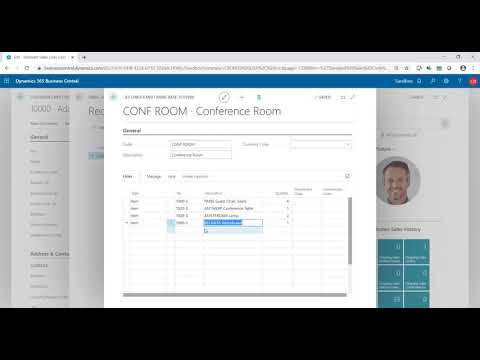
Unlock the full potential of Sales Order Entry in Microsoft Dynamics 365 Business Central! In this video, we walk you through the complete process while explaining the powerful features and functionality that make order entry fast, accurate, and efficient. Whether you're a new user or looking to optimize your current workflow, this overview will give you the insights you need to better understand how Business Central supports your sales team and improves order management. 🔍 What you'll learn: How to create and manage sales orders Key features that streamline data entry How Business Central prevents errors and improves accuracy Tips for optimizing your sales process 👉 Want to learn more about Business Central or need support? Visit us at www.westerncomputer.com #BusinessCentral #SalesOrderEntry #ERPdemo #MicrosoftDynamics365 #SalesOrderWorkflow #OrderManagement #ERPSoftware #BusinessCentralTraining Contact us for a personalized demo: https://bit.ly/32ChDNg. CALL: (805) 581-5020 VISIT: https://www.westerncomputer.com/ EMAIL: info@westerncomputer.com FOLLOW US: https://www.facebook.com/Western-Computer-236693736372775/ https://twitter.com/WesternComputer https://www.linkedin.com/company/western-computer

Unlock the Future of Smarter Selling
Book a consultation with a Dynamics 365 Sales expert to discover how AI and human connection can work hand-in-hand.