Get a high-level overview of Dynamics 365 Supply Chain Management and discover how organizations can plan, optimize, and scale their supply chains in 2026 and beyond.
In this video, we walk through the core capabilities of Dynamics 365 Supply Chain Management, part of the wider Microsoft Dynamics 365 platform. You’ll learn how the solution helps businesses improve visibility, streamline operations, and respond faster to supply chain disruptions.
This overview is ideal for:
- New users exploring Dynamics 365 Supply Chain Management
- Functional consultants and solution architects
- Business leaders evaluating modern ERP supply chain solutions
- Students and professionals learning supply chain processes
- What Dynamics 365 Supply Chain Management is and where it fits in the ERP ecosystem
- Key functional areas, including inventory, procurement, production, and logistics
- How real-time data and insights support smarter decision-making
- How organizations use the platform to improve efficiency and resilience
- An introduction to the user experience and system architecture
What you’ll learn in this video:
Whether you’re just getting started or looking for a refresher, this video provides a clear foundation for understanding how Dynamics 365 Supply Chain Management supports end-to-end supply chain operations in 2026.
Video Transcript:
I want to start today by defining what we mean by supply chain management. The supply chain management process is crucial to distributors and manufacturers of all kinds and is loosely defined as a broad spectrum of managing products and resources from from conception to delivery. The scope of which is very large and includes suppliers, contractors, internal resources, customers, raw material and end products. The timing in the supply chain is critical and can have a large impact on the cost and revenues of your organization. And factors such as lead time, material and resource shortages, and planning failures are critical components that we must be able to identify and effectively manage. So, how does D365 supply chain management help manage your supply chain? First, D365 is a Microsoft Azure cloud-based solution that can scale and grow as your business grows, especially in situations of seasonality where you may have spikes in volumes that require high system performance. The cloud-based environment can automatically adapt to that and help you manage the volume of your business. It offers full endtoend visibility from procurement to distribution to assist in understanding what is happening throughout the entire process and allow for easier material and cost traceability. You can also see real-time inventory tracking to help reduce stockouts and lower carrying costs with the support of D365's planning optimization feature, which helped optimize the production scheduling process, adapting to resource and material constraints or changing priorities. an integrated and potentially automated warehouse management system that helps companies more effectively manage their products while enabling smoother and easily traceable material flow and streamlined warehouse floor activities. and embedded AI uh insights with 365 delivers a deeper understanding of things like customers, vendors and product performance and a unified data model that connects finance operations and the supply chain uh management process for faster and more accurate decisions.
There are six core pillars that I'm going to focus on in this session. Starting with supply chain planning, which is completed by the use of MRP, now called planning optimization, that helps D365 prepare recommendations to support system demand. Procurement and sourcing, which allows companies to build out procurement policies, requisition and RFQ processes, and workflow approval processes. Manufacturing and shop floor execution to support production planning and execution. Order management and pricing to support the sales process with a strong pricing strategy. Warehouse management and fulfillment for material storage tracking, load planning, and order fulfillment. And finally, asset management and asset maintenance to help with predictive and reactive maintenance situations to support asset performance and limit asset downtime. So now let's get in and look at a demo and see what the system can do. Now we're going to get into the D365 environment and look at those six pillars that we just spoke on. I'm going to start down here in the master planning workspace to look at master planning and supply chain planning. Now master planning looks at all the demand in the system like forecast sales orders, production orders and it produces recommendations for the supply side such as planned purchase orders, plan production orders and plan transfer orders and it uses the master plans that you have set up to understand the parameters that it needs to create those recommendations based on. Now, master planning also gives you calculated delays for your sales orders. It lets you see those recommendations and group up those recommendations to assist in buying power and gives you the capability to run intercomp master planning uh for those intercomp sales and purchase orders. Now, master planning used to take about 9 to 14 maybe more hours to be able to run a full system analysis and give the recommendations. Now, with planning optimization, it takes this information, sends it outside of D365, and then brings it back in with these planned order recommendations in about 1 to two minutes. So, it is a lot faster, enabling the use of these master plans to focus on things like department or product lines or different sites. So you do have a lot of flexibility with how this works and it creates these planned orders based on net requirements. So you can see a full list of what is happening from that top level demand all the way through to the final require final supply requirement. So I'm going to come back out here and we're going to go into this navigation pane over here and we're going to take a look at the next pillar uh which is based on procurement and sourcing. So I'm going to come down here to the procurement and sourcing module and you're going to see just like that master planning workspace I do have procurement based workspaces as well that gives me additional insight uh through things like tiles with numeric supporting values or the grid views or even other easy quicklink access to reports or other fields within uh D365. Now, as you come down, we'll be able to see these all purchase orders and all purchase requisitions where we have the ability to run the full procurement process all from this singular module. We can create purchasing policies to be able to support how purchase orders are created, uh how our requisitions are processed, and even how we handle our RFQS. So, we have the ability to create an RFQ either manually or from a requisition and have it converted into a purchase order, which gives us full traceability because all of them can be linked together to be able to see throughout that full path.
This does give us a little bit more governance over the procurement process as we have the ability to create workflows for requisition or purchase order approval. The other piece I wanted to look at is in this all vendors section I talked about that embedded AI and if we look at one of the areas like vendors we'll see right here that you have the summary by co-pilot section. Now, this is going to give me a little bit of insight into the status and insights into their performance, and I can start liking or disliking the information it gives me for the co-pilot to start learning what I like, learning what I want to see, and learning how to present the data to me. Now, I'm going to come out and I'm going to look at the warehouse management side. If I come all the way down to the warehouse management module and open it up again, you're going to see those workspaces that support the different styles of work. It also gives me the ability to utilize mobile devices and configure mobile device menus based on the different roles.
I will say this, the warehouse management area is one of the most important components of this ERP because it's where a lot of your deals are going to be won or lost. If you're not able to get material out on time and get it out and understand where it's at in your warehouse, it's going to be very difficult to appease all of your customers.
Now in this warehouse management area, you also see these other lower sections that highlight load uh load creation and warehouse management also offers up a lot of automation through things like location directives which allow you to define how material is going to move and where automation takes place in that material movement process. So if you want to take something upon a receipt and automatically put it to a specified location, you can set up those location directives with the proper filters to be able to automatically move that material. Now with those mobile devices uh you have the ability to also have userdirected or systemdirected putaway work and those mobile devices will give them uh the shop floor workers all the information they need to be able to properly move material which gives us full traceability on material movement as well as better inventory counts. We do have the ability to come in and run inventory counting directly from the warehouse management module for us to be able to uh better analyze our material on hand.
The next piece of this is going to be looking at my transformation transportation management module. Now in here I'm going to open up a couple sections. You see this planning and freight bill and invoice. In the planning, I have this load planning workbench that I can either separate into inbound or outbound load planning. This allows the user to be able to create loads, whether they be inbound from the vendor or outbound to customers. You can take singular or multiple sales orders and combine them into a single load that has specific capacity metrics associated with each of the different trucks. So, you have a smarter way to be able to plan out your deliveries or plan out your material receipts, including the ability to set up your routes uh automatically or manually.
You also have the ability to set up doc appointments to help better manage your fleet or any thirdparty three uh any 3PLs that are coming in to pick up material or drop off material. So, you do have driver checkin, checkout capabilities and appointment scheduling set within the D365 environment. This other section down here helps you with your freight billing and your invoicing to assist in matching freight bills with your purchasing invoices or sales invoices.
Now, we're going to take a look at the production control process. In here we see our first work workspace of production floor management that allows us to see all of the production order movement to understand the jobs that are running, anything that's being late or any analytical information that we need to help better address our production planning and execution. In the production control module, we will see down here this all production order section that houses two different types of production recreation. It has your production order which focuses more on your discrete manufacturing using your bill of materials with the routes and then you have your batch orders which focuses more towards the process manufacturing side of things and uses formulas with this creation. When you do set up a batch or a production order, it will be looking at the items that you have set up and the bill of material or formula that you have specified along with the route that you have created and the operations defined. In the operations, you have the ability to set your different consumption and you have the ability to identify the resources and what that throughput time looks like. So something like setup time, processing time or uh tear down time can be associated to the runtime of that overall route and that production process that will go against the resources capacity which assists us in our production planning process. And you'll see this operations section down here which allows us to look at all of our different routes and subcontracted work. So we can set up things like outside processing built into our production process that we can schedule and track costs against.
The last thing down here is our manufacturing execution. So in here when we look at production floor execution, we have the ability to see the MEES system that D365 offers. So the shop floor team will be able to focus on the jobs directly associated to their department or to their specific resource if you wanted to get down to that level and you can define exactly what those users see and what they are able to do. And you also have the advanced quality control components added into D365's production process and receipt process to allow for that quality assessment on each item or each production process. The last piece I want to look at is going to be right here in asset management. So asset management allows us to focus on the different resources that we have, the machine resources that we have. So we can assess preventative and reactive maintenance plans. You'll see over here we have the ability to associate any of our assets and directly relate them to the resources to support that capac that resources capacity planning. So when I am running master planning with a finite uh assessment finite capacity assessment it is going to take into account any of the work orders that I have currently open and scheduled on those resources to use capacity and not plan over that downtime.
As I come down here, I have the ability to create functional locations and associate those assets to different locations. And I can create my plans based on these functional locations. So, if I'm m fixing machines in one functional location, I can get all of the machines in that location on that work order for inspections or actual repairs. If machines do break down uh during the day, resources can come in and create maintenance requests and submit those maintenance requests to a shop floor supervisor or an or a maintenance supervisor.
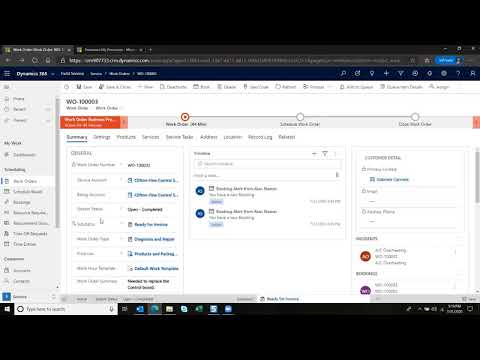
Now, we're going to take a look up here at asset management. Now in asset management, we have the ability to set the resources, the machine resources up as assets and associate to different functional locations at our different sites. This gives us our ability for preventative and reactive reactive maintenance on those different resources. If machine breaks down, I can have a resource go in real time and enter a maintenance request and submit it to a supervisor. That supervisor can then review the maintenance request, convert it to a work order, and then schedule that work order for either a repair technician to come in and fix it, do an inspection, or even procure parts that directly get costed to that machine. So, you have visibility to the total cost of machines and repairs. You also have the ability to create preventative maintenance schedules that align with either functional locations or individual resources to ensure that you are constantly staying up to date with your inspections and any tuneups that need to be done for machines. you. It does also house these different workspaces to see the maintenance requests that have been created and convert them into work orders and then align those work orders uh with the different machine downtimes that you've uh that you can identify. Now the nice thing about this machine downtime is that if you are using finite capacity on your resources, the machine uh master planning runtime will take into account any asset downtime as consumed capacity against that resource. So it will not plan over that consumed capacity.
I'm going to come back into my main dashboard now as I've gone through everything I wanted to show today and just remind you that D365 is positioned as an AI enabled platform for real-time visibility and planning of your material and your machines trying to connect the supply chain directly with the co-pilot with co-pilot agents to be able to help better your assessment and better your pro your supply chain process. Thank you for your time and if you have any questions, please feel free to contact your customer account manager or contact Western Computers VP of sales, Ben Bolt. I've added his contact information in here. Really appreciate you taking the time with me today. Again, my name is Andrew Goan, and I hope you all have a wonderful day.